AAWireless for Android Auto™
- 4.4
- Rating
- 1.00M
- Installs
- Free
- Price

 Analysis by App-foxy
I installed AAWireless for Android Auto™ to see how much difference its companion app makes in everyday driving. The app itself is free and belongs in the Auto & Vehicles category, but it is not a replacement for Android Auto and it does not turn a car without compatible hardware into a connected vehicle. Its purpose is to help people get more from an AAWireless adapter, so the real question is whether it makes wireless Android Auto easier to manage than relying on the car’s original wired connection.
My short answer is that it can be very useful when your car already supports Android Auto through USB and you want to remove the cable from your daily routine. The app is less interesting if you do not own the adapter, if your vehicle does not support Android Auto, or if you prefer a completely hands-off setup with no troubleshooting at all. I found the experience most valuable not because it adds a new entertainment system, but because it gives the adapter a practical control point when connection behavior needs attention.
What the companion app actually changes
AAWireless is developed by AAWireless, and its role is narrower than the name might suggest. It works alongside the AAWireless adapter rather than acting as a standalone navigation, music, or messaging app. That distinction matters: your phone still provides the Android Auto experience, while the adapter handles the wireless bridge between the phone and the car.
You May Also Like

 Blood Strike: 2.5 Anniversary
Blood Strike’s Loadouts Turn Every Drop Into a Tactical Gamble
A close look at Blood Strike’s custom loadouts: how fast access to signature weapons reshapes its battle royale rhythm, rewards preparation, and narrows the gap between fights.

 Pandora - Music & Podcasts
Pandora’s Music Is Easy to Start, but Harder to Recover
Pandora’s strength is its low-effort path from a seed to a station. Its weak spot is how much confidence it asks you to place in connection, setup, and quiet recovery.

 8 Ball Pool
 Is Built on Rivalries, Rematches, and Routine
A close look at the rivalries, rematches, shared routines, and unanswered safety questions that turn a quick pool match into a persistent mobile community.

 Samsung Music
’s Quiet Strength Is Playing What You Already Own
Its reach comes less from spectacle than from dependable access to a personal library. That simplicity is both the app’s strongest retention engine and its ceiling.

 AccuWeather: Weather Radar
AccuWeather Review: A Quick, Clear Forecast for Everyday Decisions
For everyday plans, the best forecast is the one you can understand quickly. AccuWeather makes rain timing, radar, and local conditions easy to act on, with a few trade-offs.

 Hill Climb Racing
Why Hill Climb Racing Still Turns Crashes Into One More Run
A tiny car, a bumpy hill and one more upgrade: Hill Climb Racing keeps resurfacing because its simple chaos makes every near-miss feel personal.
More From Our News Desk
View All News


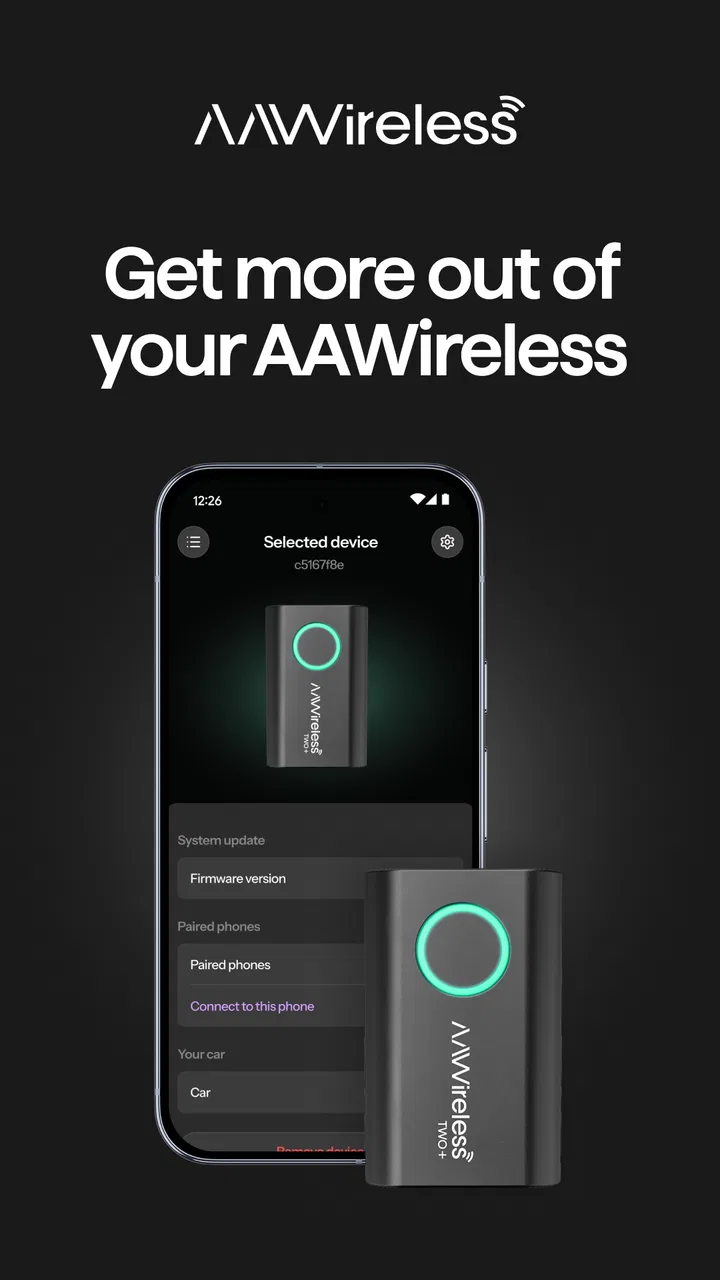
In normal use, the appeal is simple. I can get into a vehicle without immediately searching for a cable, start the car, and expect the phone to connect through the adapter. The companion app is where I would look when I need to manage that relationship, check the adapter’s behavior, or adjust the setup instead of repeatedly unplugging things and guessing which part of the system is responsible.
This makes it different from the usual alternatives. A standard USB cable is cheaper if you already have one, and it has fewer moving parts. A car’s built-in wireless Android Auto is even cleaner when available because it does not require a separate adapter. AAWireless sits between those options: it adds hardware and an app, but it can make an older compatible head unit feel more convenient without replacing the car’s display or controls.
The app has a 4.6 average from around 18 thousand ratings, with more than a million installs. Those figures suggest that it has reached well beyond a small group of enthusiasts, although popularity does not guarantee that every car-and-phone combination will behave identically. Wireless connections are sensitive to the vehicle’s head unit, phone settings, USB port, and surrounding radio conditions, so I would treat the app as a useful management layer rather than a universal fix.
How quickly it feels in daily use
Perceived speed is mostly about what happens before the Android Auto interface appears. With a wired setup, plugging in the phone is a clear physical trigger. With AAWireless, the goal is to make that first step disappear, but the phone, adapter, and car still have to recognize one another. When that sequence works smoothly, the experience feels fast because there is less effort, not necessarily because the app itself is doing something visibly dramatic.
I would not judge the app by how quickly its own screens open. The important test is whether the adapter establishes a connection consistently enough that I stop thinking about it. For a morning commute, that means starting the car, waiting through the normal startup process, and reaching navigation or audio without handling the phone. In my experience, that convenience is the strongest reason to use the system.
There is also a useful distinction between connection speed and Android Auto responsiveness. Once the session is active, map movement, voice commands, calls, and media controls depend on the phone, the car display, Android Auto, and the mobile connection where relevant. The companion app cannot make a weak mobile signal stronger or make an aging head unit render faster. It can help with the adapter side of the setup, but it is not a performance booster for every part of the chain.
One practical tip is to evaluate the setup over several ordinary starts rather than after one successful test. A single connection proves that the pieces can communicate; repeated starts reveal whether the arrangement suits your routine. If the adapter connects reliably when the phone is in your pocket or bag, the wireless benefit is real. If you regularly need to open the app, restart devices, or reconnect cables, the convenience advantage becomes much smaller.
What happens during heavier use
The most demanding moments are not necessarily when the app is open. They happen when the phone is navigating, handling a call, playing audio, and maintaining the wireless Android Auto session at the same time. In those situations, I look for interruptions, delayed controls, or a connection that drops when the system is busy. The companion app should be viewed as a support tool for those situations, not as another app I need to keep visible while driving.
For safety, I would configure the adapter while parked. That is especially important when testing settings or trying to recover a connection. The app’s value is highest before a journey: I can check the arrangement at home, confirm that the phone and adapter recognize each other, and avoid experimenting with menus after pulling onto the road. This small change in workflow makes the system feel more dependable because troubleshooting is moved out of the driving portion of the day.
Resource demands are also worth considering. The app is not intended to replace navigation or media software, so its normal role should be relatively focused. Still, wireless Android Auto involves the phone’s wireless radios, Android Auto itself, the adapter, and the car display. If your phone is already old, heavily loaded, or low on battery, adding wireless communication may feel less forgiving than using a cable. I would not blame the companion app automatically for every delay; the entire chain has to be considered.
A non-obvious advantage is that the app gives me a place to separate adapter problems from car problems. If the car works normally with a direct cable but not through the adapter, the wireless bridge deserves attention. If Android Auto behaves poorly even when connected directly, changing the companion app may not solve the underlying issue. That simple comparison can save a lot of random resets and unnecessary phone changes.
Stability, recovery, and the moments that test it
Reliability is where this setup earns or loses its place in a car. A wireless adapter is successful when it becomes forgettable. I do not want to think about pairing details each time I leave home, and I do not want a short stop at a shop to create a completely new setup process. The app helps by giving the system a dedicated management route, but it cannot remove every dependency created by the car and phone.
Recovery is therefore more important than perfection. When a connection fails, I want a clear sequence: check whether the phone is awake and available, confirm that the adapter is powered through the car’s USB connection, and then use the companion app to inspect or manage the adapter rather than immediately changing several settings at once. Changing one thing at a time makes it easier to identify whether the problem is pairing, power, the vehicle’s USB behavior, or Android Auto itself.
Another useful habit is to keep a direct cable available even after switching to wireless. That is not a criticism of AAWireless; it is sensible backup equipment for any system involving a phone and a car. If the adapter does not recover before an important trip, a cable can get you moving while you investigate later. People who need absolute predictability for long journeys may prefer wired Android Auto for precisely this reason.
The app is also more appealing to someone who enjoys understanding their setup. If you want to adjust or inspect the adapter when your particular vehicle behaves differently from another car, a companion app is more useful than a sealed wireless accessory with no management layer. On the other hand, a driver who sees any configuration screen as an unwanted chore may be happier with a cable or factory-installed wireless Android Auto.
Phone and car constraints to consider first
The minimum operating system is Android 9, which gives the app a reasonably broad starting point for Android phones. That does not mean every phone running that version will deliver the same result. Android Auto compatibility, the phone manufacturer’s background behavior, wireless settings, and the vehicle’s own implementation can all affect the experience. I would check the phone and car combination before buying the adapter, rather than assuming the app alone guarantees compatibility.
The car is just as important as the phone. AAWireless is aimed at vehicles that already have a compatible wired Android Auto path. If your head unit has no Android Auto support at all, the adapter and companion app are not a substitute for installing a new infotainment system. Likewise, if your car already offers reliable wireless Android Auto, adding another bridge may create needless complexity instead of improving anything.
USB power behavior can matter too. The adapter depends on the vehicle’s USB connection, so a port that disconnects, powers down unexpectedly, or behaves differently between ignition cycles can make a wireless setup appear unreliable. Before blaming the app, I would test the same port with a direct Android Auto cable and check whether the wired connection is stable. This is one of the most useful diagnostic steps because it isolates the car’s physical connection from the wireless layer.
Phone placement is another trade-off. Wireless Android Auto removes the need to keep the phone plugged in, but the phone still needs enough battery for the journey and may warm up more during navigation or charging. If your daily drive is short, that may not matter. If you spend hours in the car, a suitable charging routine becomes part of the setup. The app cannot change the phone’s battery capacity or heat management.
Because the content rating is Everyone, the app is presented as suitable for a broad audience. In practice, the target user is more specific: an Android phone owner with a compatible car and an AAWireless adapter who wants to manage wireless Android Auto. iPhone users should skip it, as should anyone looking for a general vehicle-tracking, maintenance, or navigation application. Its narrow purpose is a strength when it matches your equipment and a limitation when it does not.
Useful workflows beyond the first connection
The first setup is only one part of ownership. I would use the app as a troubleshooting companion before changing phone permissions, reinstalling Android Auto, or resetting the car’s infotainment system. Start with the least disruptive checks, test the adapter after each change, and keep notes about what happened. This is especially helpful in households where more than one Android phone may be used with the same vehicle.
A realistic example is a shared family car. One person may drive it in the morning and another later in the day, each with a different phone. Wireless convenience is attractive in that situation, but automatic connection can become confusing if both phones are nearby. The sensible approach is to establish which phone should connect first for each routine and avoid pairing every available device without a plan. If the car repeatedly chooses the wrong phone, a cable may be less frustrating for the occasional driver.
Another scenario is a rental or temporary vehicle. I would not assume that an adapter will behave the same way in every car, even if both vehicles display Android Auto. The head unit, USB power, and startup behavior can differ. For a short rental, carrying a cable may be more practical than spending time tuning a wireless arrangement. For a car you use every day, the time saved across repeated trips makes the adapter much easier to justify.
When updating the app, I would avoid doing so immediately before a long drive unless there is a clear reason. The current version is 6.19.2427, and keeping software current is generally sensible, but any change to a familiar setup deserves a quick parked test afterward. That test should include a normal car start, a navigation session, and a brief call or audio check if those are part of your routine. It is a small precaution that protects against discovering a setup issue when you are already late.
Where it beats the usual alternatives
Compared with a cable, AAWireless wins on convenience. I can leave the phone where it is, reduce cable clutter, and avoid repeatedly connecting and disconnecting the device. That matters most for short trips, frequent stops, and drivers whose USB port is awkwardly placed. The trade-off is that wireless adds another component that needs power and communication, so the cable remains the simpler fallback.
Compared with a factory wireless Android Auto system, the adapter is a retrofit solution. It can make sense when the car’s existing wired Android Auto works well but the vehicle lacks a wireless option. It makes less sense when the car already connects wirelessly without trouble. In that case, the adapter is solving a problem you do not have and may introduce another layer to maintain.
Compared with generic wireless adapters, the companion app is an important part of the AAWireless experience. A dedicated management tool can make it easier to understand what the adapter is doing and to approach recovery methodically. That does not guarantee a better result in every vehicle, but it gives the owner more visibility than a completely opaque accessory. I value that most when a setup is almost reliable but needs careful adjustment.
The biggest trade-off is ownership complexity. You are not only choosing wireless Android Auto; you are choosing an adapter, a companion app, a compatible phone, a compatible car, and a backup plan for connection problems. For many people that is still worthwhile. For someone who wants the fewest possible variables, a direct cable remains the honest recommendation.
My performance verdict
After looking at speed, heavy-use behavior, recovery, and device constraints, I see AAWireless as a focused utility rather than an essential app for everyone. Its performance is best judged by how little attention it demands after setup. When the adapter, phone, and car cooperate, the result is a noticeably cleaner daily routine. The app’s real contribution is giving that wireless arrangement a practical way to be managed when the experience is not perfectly automatic.
I would recommend it to Android users who already have wired Android Auto, drive the same compatible car regularly, and are willing to spend a little time testing the setup while parked. It is particularly attractive for commuters, families with a dedicated vehicle, and anyone tired of cable clutter. The free price removes one barrier to trying the companion app, although the broader wireless experience still depends on owning the AAWireless adapter and having suitable car hardware.
I would skip it if you use an iPhone, lack Android Auto support in the car, already have excellent factory wireless Android Auto, or cannot tolerate occasional troubleshooting. I would also choose a cable first for a rarely used vehicle or a rental, where simplicity matters more than repeated convenience. Those are not failures of the app; they are situations where its specific purpose does not justify another device in the chain.
AAWireless has been available since March 10, 2021, and its broad adoption shows that the basic idea has practical appeal. My final view is straightforward: the app is most valuable as a control and recovery tool for a compatible wireless Android Auto setup, not as a standalone driving app. If that matches your car and habits, it can make every short journey feel easier. If it does not, a reliable USB cable is still the faster, simpler answer.
FAQs for AAWireless for Android Auto™
01What is AAWireless and how does it work with Android Auto™?
AAWireless is a device that enables a wireless connection between your smartphone and Android Auto™. Instead of relying on a USB cable, AAWireless connects via Bluetooth and Wi-Fi, allowing you to enjoy Android Auto™ without the hassle of wires. Simply plug the device into your car's USB port, pair it with your phone, and you're ready to go.
02Is my car compatible with AAWireless?
AAWireless is compatible with most vehicles that support wired Android Auto™. To ensure compatibility, check if your car's infotainment system runs Android Auto™ via a USB connection. It’s also important to verify that your smartphone is running Android 9 or higher, as previous versions may not support wireless Android Auto™.
03What are the main benefits of using AAWireless over a wired connection?
The primary benefits of AAWireless include convenience and ease of use. By eliminating the need for a USB cable, it reduces clutter in your car and allows you to connect your phone effortlessly. Additionally, it provides a seamless transition from entering your vehicle to accessing Android Auto™, enhancing the overall driving experience.
04Does AAWireless affect the battery life of my smartphone?
Using AAWireless may slightly impact your smartphone’s battery life since the device relies on Bluetooth and Wi-Fi for connectivity. However, the convenience it offers often outweighs this minor drawback. For extended trips, it might be beneficial to have a car charger on hand to ensure your phone remains powered.
05How do I troubleshoot connectivity issues with AAWireless?
If you encounter connectivity issues with AAWireless, first ensure that both your smartphone and car’s infotainment system are updated to the latest software versions. Restarting your phone and resetting the AAWireless device can also help. If problems persist, consulting the device's support page or contacting customer service may provide further assistance.
Pros
- Seamless wireless connection setup.
- Compatible with most car models.
- Minimal lag in audio streaming.
- Automatic updates enhance functionality.
- Compact design
- easy to install.
Cons
- Limited support for older Android versions.
- Initial setup may confuse some users.
- Dependent on stable Bluetooth connection.
- May drain phone battery faster.
- Occasional connectivity drops reported.

AAWireless for Android Auto™
Gallery